Osman Husain
Most people comparing CookieYes and Termly are at a specific moment: the free banner got the first site compliant, and now there's a second domain, a Shopify store, or a data request sitting in an inbox with nowhere to go.
That's the right time to look closely, because this is exactly where entry-level tools start to strain. Below is an honest comparison of CookieYes and Termly on price, features, and compliance coverage, and a clear read on when neither is the right answer.
Termly vs. CookieYes: Quick comparison
| CookieYes | Termly | |
| Best for | WordPress / EU sites | U.S. SMBs, legal docs |
| Entry paid price | ~$10/mo per domain | ~$10/mo |
| Pricing model | Per domain, every tier | Per site (Agency for multi) |
| Multi-domain dashboard | ❌ | ❌ (Agency tier only) |
| DSAR handling | ❌ No workflow | Intake form only |
| API access | ❌ | ❌ |
| Shopify depth | ⚠️ Basic app | ⚠️ Basic plugin |
| Policy generators | 2 | ✅ 10 (attorney-drafted) |
| Free plan | ✅ 100 consents/day | ✅ |
| Primary platform | WordPress-native | Web + legal docs |
| Google Consent Mode v2 | ✅ | ✅ |
| Support | Chat, email (paid) | Phone, email, chat |
What's the difference between Termly vs. CookieYes?
The two tools have a different approach and target audiences.
CookieYes is a banner-first, WordPress-native platform on 1.5M+ sites. It does one job well: scan a site, drop in a clean GDPR consent banner, and go live in minutes, often on a free plan. It holds a 4.8/5 Trustpilot score and Google-certified CMP status.
Termly is a documents-first, U.S.-focused platform. Its banner is competent, but the draw is the surrounding library of 10 attorney-drafted policy generators covering privacy policies, EULAs, disclaimers, and more. It carries a 4.7/5 Trustpilot rating and a BBB A+ accreditation.
Pricing: The per-domain problem
Both tools look cheap on the pricing page. The difference is what happens as you add sites.
CookieYes prices per domain at every level: Basic at ~$10/month per domain, Pro at ~$25/month per domain, and Ultimate at ~$55/month per domain. The free plan exists, but it stops at 100 consents per day, which a site with modest traffic can clear in an afternoon.
Termly is friendlier on a single site. Starter is ~$10/month annually and Pro+ is ~$15/month, but multi-domain management only appears on the custom Agency tier, so the published prices effectively cover one site.
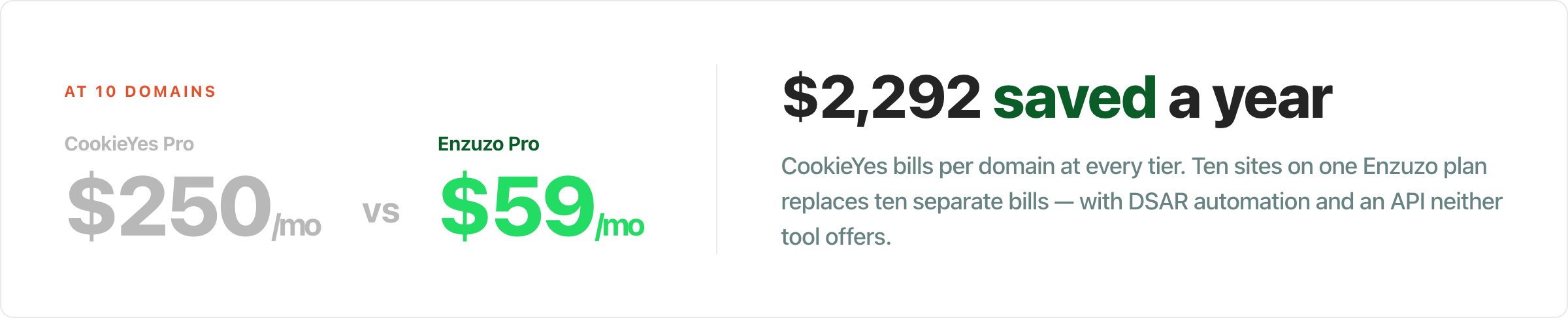
Run the math at scale and CookieYes is the cautionary tale. Three domains on the Pro tier is roughly $75/month before you have added a single DSAR workflow or API call. Ten domains pushes well past what a consolidated mid-market platform charges for the same reach.
That per-domain structure is the single biggest reason teams start shopping around once they run more than one site.
Where both Termly and CookieYes fall behind
Both tools are built for a single site run by a small team. Three limits show up as soon as your needs begin to accelerate.
1. The pricing scales the wrong way
CookieYes charges per domain on every tier, from Basic through Ultimate. Termly takes a different route to the same place, holding multi-domain management back for its custom Agency plan.
Either way, there's no affordable path to managing five or ten sites from one plan. A CookieYes user with several domains can end up paying more than a mid-market platform charges, with fewer features underneath.
2. The free and entry tiers have hard ceilings
CookieYes caps its free plan at 100 consents per day, which a growing site burns through quickly. Termly's Starter tier limits you to two policy generators and 50,000 banner views.
Both are designed to move you up a tier the moment you gain traction. That's fine until the upgrade path costs more than it should and still leaves gaps in coverage.
3. Both are thin on compliance operations
Neither tool offers an API, so there's no headless or programmatic option for teams that want one. On data subject requests, CookieYes has no workflow at all, and Termly stops at an intake form with no routing or audit trail.
For a blog or a brochure site, that's rarely an issue. For a business handling real DSAR volume or wiring consent into a custom stack, the operational layer simply isn't there.
There's also a coverage split worth naming. CookieYes is strongest on EU and WordPress-native GDPR setups, while Termly leads with attorney-drafted U.S. legal documents. Depending on where your traffic and your tech stack live, one of them tends to cover the wrong half of your needs.
Termly vs. CookieYes: Pros and Cons
Both tools earn their place at the entry level. Here's where each is strong and where it falls short.
CookieYes: Pros and Cons
Pros
- WordPress-native, with a fast setup and a genuinely useful free plan to start.
- Clean GDPR banner, automated scanner, and Google-certified CMP status.
- Strong 4.8/5 Trustpilot rating from a large review base.
- Shopify app available for basic banner display.
Cons
- Per-domain pricing at every tier, so costs climb sharply with each site.
- No DSAR workflow at all.
- No API, and the Shopify app is banner-only.
- Free plan capped at 100 consents per day, which small sites outgrow fast.
Termly: Pros and Cons
Pros
- Widest set of policy generators, 10 in total, all attorney-drafted for U.S. law.
- Strong U.S. state-law coverage with transparent documentation of which laws it addresses.
- Phone support, which CookieYes does not offer.
- High satisfaction: 4.7/5 on Trustpilot and a BBB A+ rating.
Cons
- U.S.-first, so EU consent signaling into ad networks is weaker.
- No API, and Shopify support is a basic plugin only.
- DSAR is a form, with no workflow or audit trail.
- Multi-domain management is locked to the custom Agency tier.
The pattern underneath both
Notice that the cons rhyme: per-site or per-domain billing, no DSAR automation, and no API. Neither tool was built to consolidate multiple properties or run compliance as an operation. That is the precise need a multi-domain platform is designed for.
An alternative worth considering: Enzuzo
If you only ever run one WordPress site, you can stop reading and pick CookieYes. The case for a third option starts the moment that stops being true.
Enzuzo is a consent management platform built for the point where per-domain tools become the bottleneck. Instead of billing each property separately, Enzuzo's Pro plan puts up to 10 domains on one dashboard for $59/month, billed annually.

At a single site, Enzuzo Starter is $9/month, undercutting both CookieYes Basic and Termly Starter, and it still ships with DSAR automation and an API that neither offers at entry level.
What you gain by consolidating:
- One plan for up to 10 domains: a single dashboard, one invoice, and unified consent state instead of separate logins per site.
- A DSAR workflow, not a dead-end form: intake, routing, response tracking, and an audit trail handled for you.
- Native Shopify integration: built on Shopify's Customer Privacy API, not a basic banner app bolted on.
- Geo-targeted U.S. and EU coverage: per-state rules for CCPA, CIPA, and VCDPA alongside GDPR, certified Google Consent Mode v2, and IAB TCF.
- API and headless support for teams that want programmatic control.
- Slack-first support instead of a paid-only chat queue.
To be fair to both incumbents: Enzuzo won't out-document Termly's 10 attorney-drafted U.S. generators, and CookieYes remains a clean choice for a standalone WordPress blog. The trade flips the moment you add a second domain or a real compliance obligation. For a deeper look, see our CookieYes alternatives guide.
Looking to migrate away or want a no-obligation look at your current consent management setup? Book a strategy call to explore what fits your stack best.
Termly vs. CookieYes vs. Enzuzo: Which should you choose?
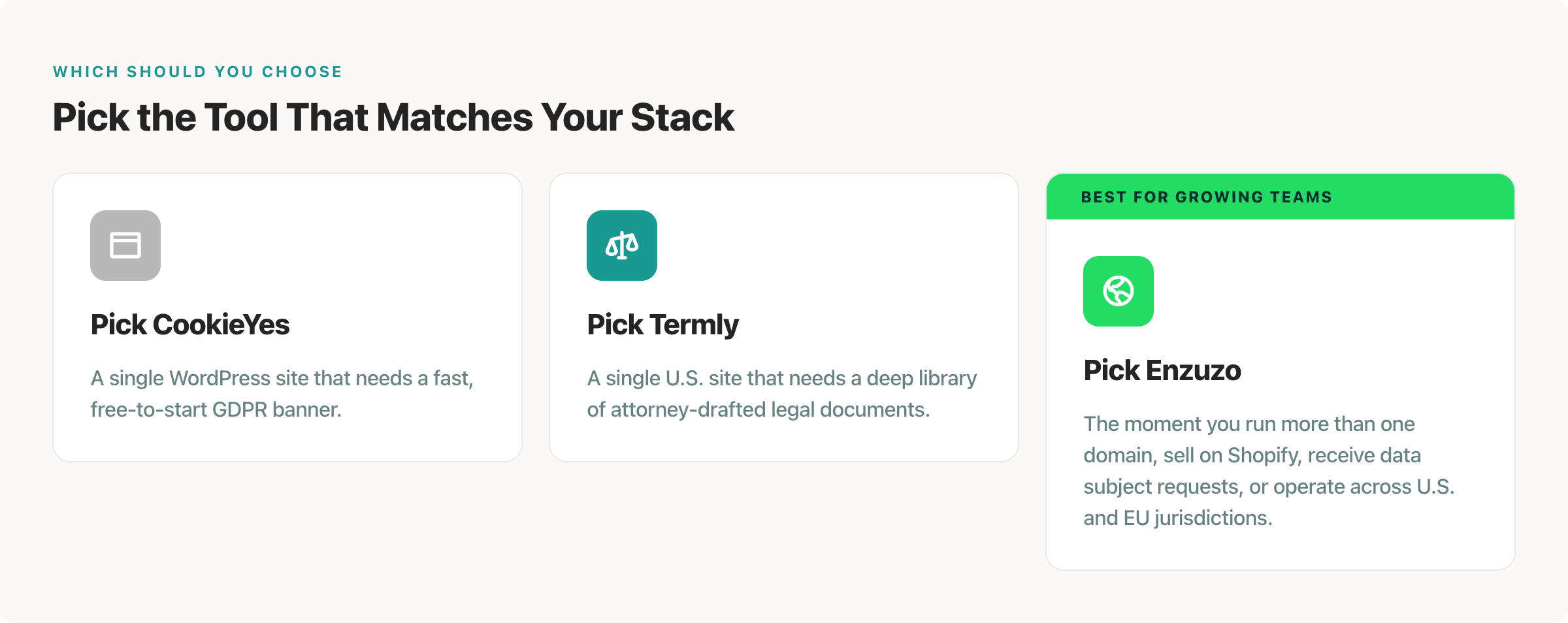
Pick CookieYes for a single WordPress site that needs a fast, free-to-start GDPR banner.
Pick Termly for a single U.S. site that needs a deep library of attorney-drafted legal documents.
Pick Enzuzo the moment you manage more than one domain, sell on Shopify, receive data subject requests, or operate across U.S. and EU jurisdictions, and want one plan instead of a per-domain bill.
Frequently Asked Questions
What's better for a WordPress site - CookieYes or Termly?
CookieYes is WordPress-native and the more natural fit for a fast GDPR banner on WordPress. Termly also offers a WordPress plugin but leads with U.S. legal documents. For a WordPress business running multiple sites, Enzuzo consolidates them on one plan rather than charging per domain.
What's the cheaper option?
Both start around $10/month for one site. CookieYes bills per domain at every tier, so it scales more expensively as you add sites. At one site, Enzuzo Starter ($9/month) is cheaper than both; at 10 domains, Enzuzo Pro ($59/month) is far cheaper than either.
Does CookieYes handle data subject requests?
No. CookieYes has no DSAR workflow, and Termly offers only an intake form with no routing or audit trail. Both require manual handling. Enzuzo includes full DSAR automation.
What's the catch with CookieYes's free plan?
The free plan is capped at 100 consents per day, which a growing site exceeds quickly, and it carries CookieYes branding. Paid tiers then bill per domain, so costs rise with each site you add.
What's the best CookieYes or Termly alternative for multiple websites?
Enzuzo is built for multi-domain management, covering up to 10 domains on one plan and dashboard, instead of the per-domain or per-site model used by CookieYes and Termly.
Osman Husain
Osman is the content lead at Enzuzo. He has a background in data privacy management via a two-year role at ExpressVPN and extensive freelance work with cybersecurity and blockchain companies. Osman also holds an MBA from the Toronto Metropolitan University.
LinkedIn →More related blogs
Your next read